We’d like to share some practical tips to help you troubleshoot issues related to the older Modbar AV reed switch version (pre MB008510 and ET004311), as well as a few recommendations for adjusting the new reed switch mechanism when needed.
Old Reed Switch Version
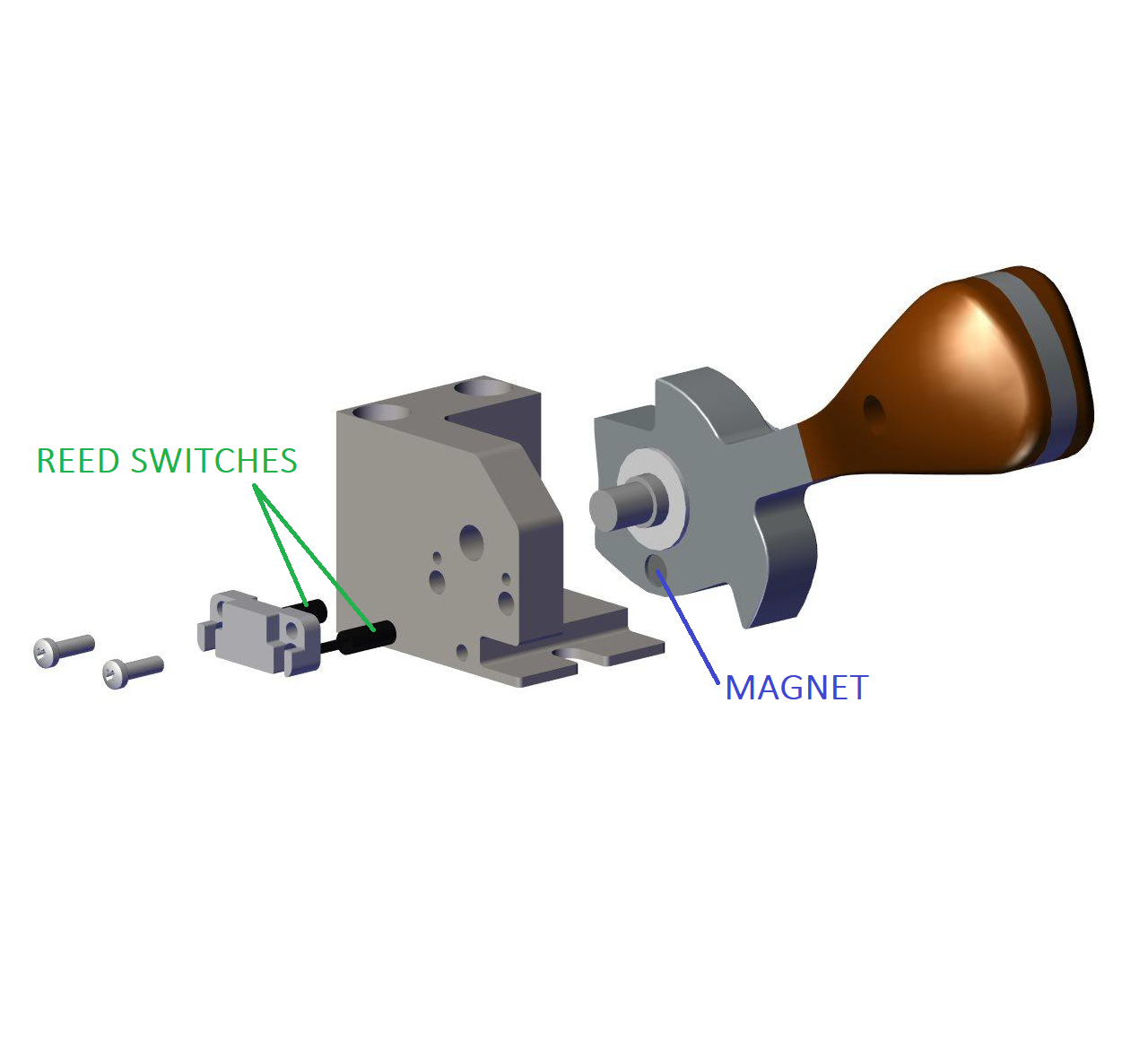
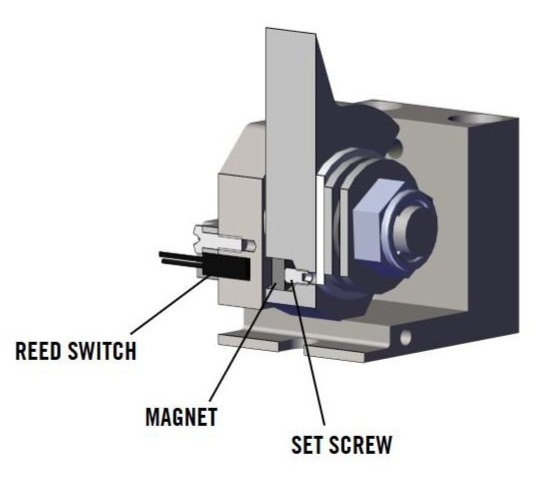
Common Symptoms
- If the lever only works in the down positions or only in the up positions.
- The lever activates too quickly, or the group continues brewing without the lever being able to stop it.
Solutions
Note: Due to the variable position of the bulb inside the cylinder, the issue is most often related to alignment, rather than to the reed switch itself or its cable.
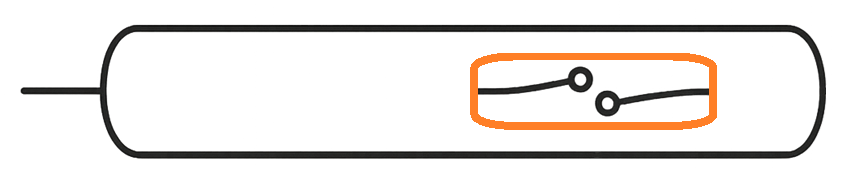
- Rotate the reed switch head to see if a different angle transmits a better signal.
- Adjust the set screw until the signal is correctly transmitted when moving the lever.
- Check the magnet position and make sure it is stable. If necessary, apply a drop of heat-resistant glue (recommended: Loctite 454 gel universal) under the magnet.
- Invert the cabling. Invert both reed switches into their sockets as well as their cable connections. The inverted configuration provides better signal communication with the magnet.
New Reed Switch Version
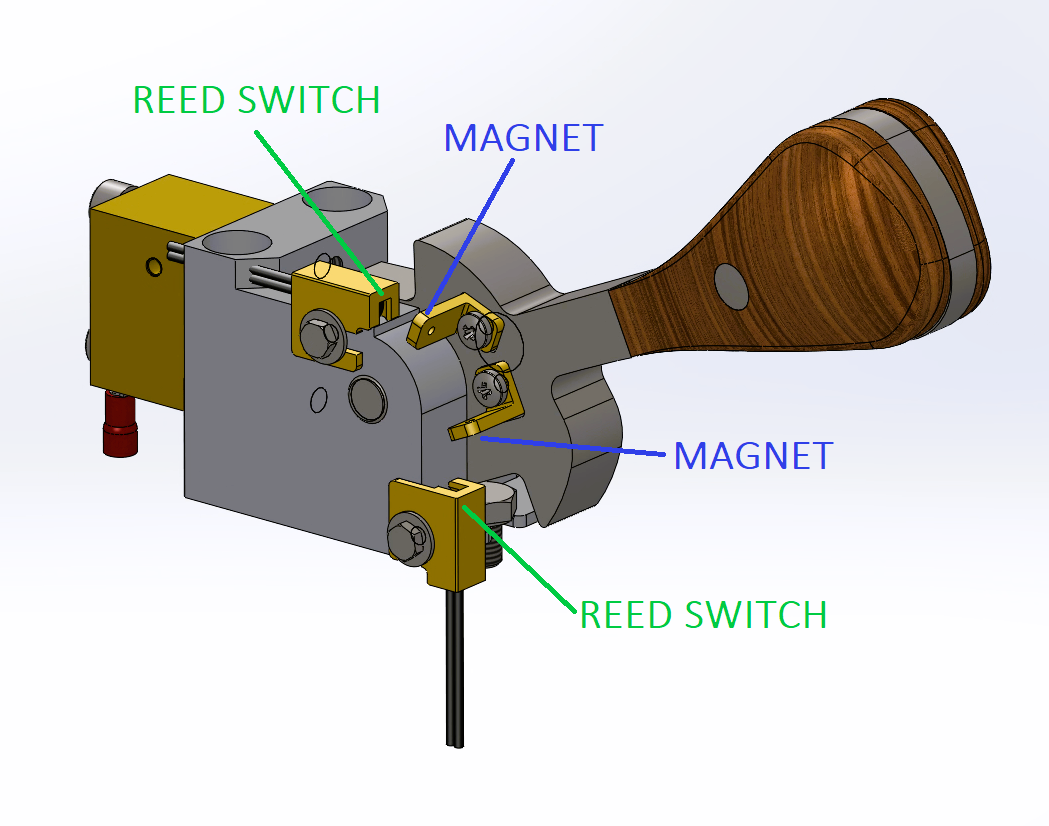
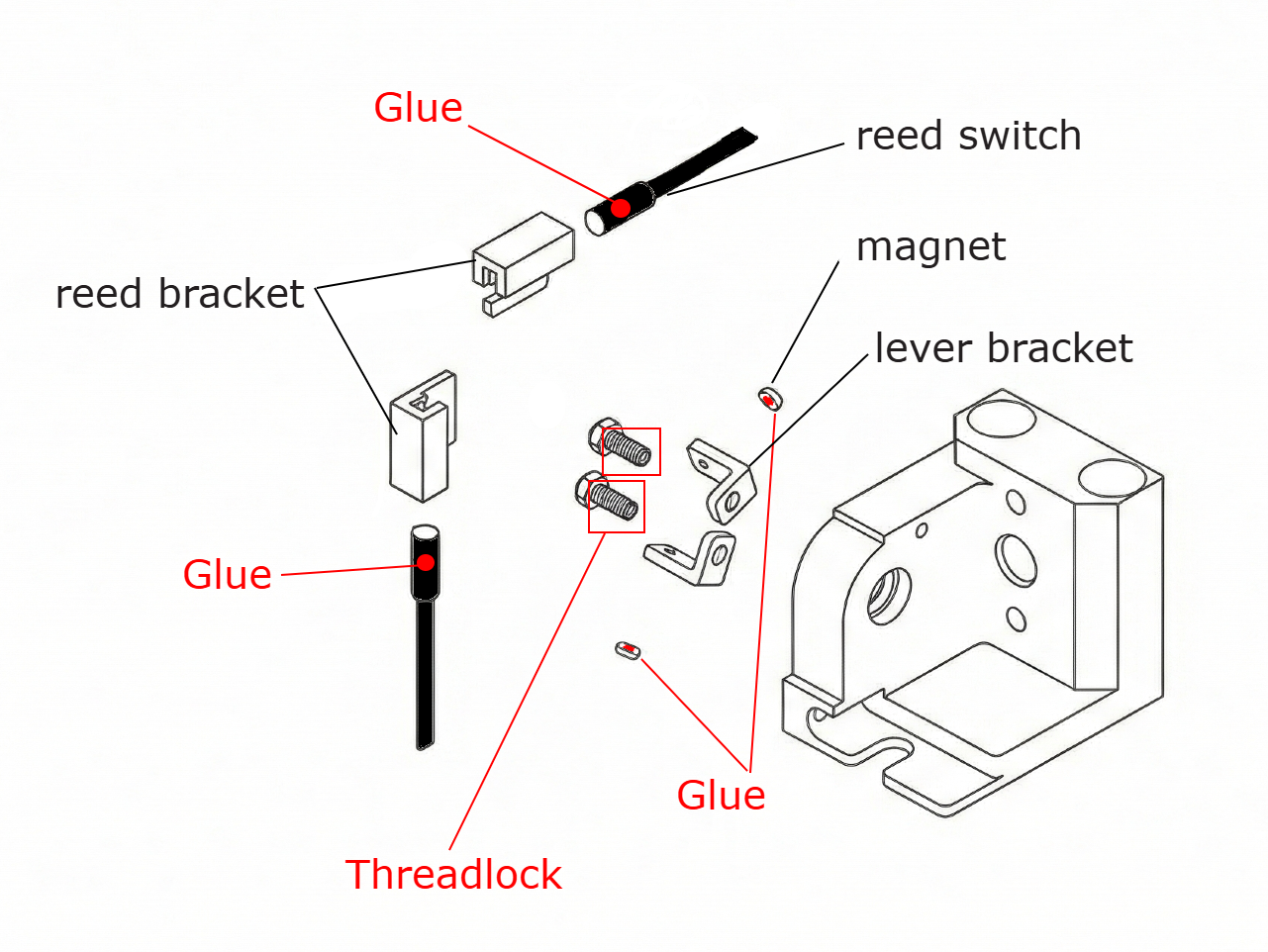
Common Symptoms
Some early production batches were missing glue spots, which could cause certain components to loosen over time.
Solutions
- Apply threadlock to the screws holding the lever brackets.
- Apply glue (recommended: Loctite 454 gel universal) inside the reed brackets.
- If necessary, add a small drop of glue (e.g. Attak) underneath the magnets. Make sure it does not overflow to cover the magnet surface.